Public beta See release notes

Download PlayCC

Install PlayCC on your computer or phone to translate GTA VI. Add the TV app to read Thai subtitles on your TV.

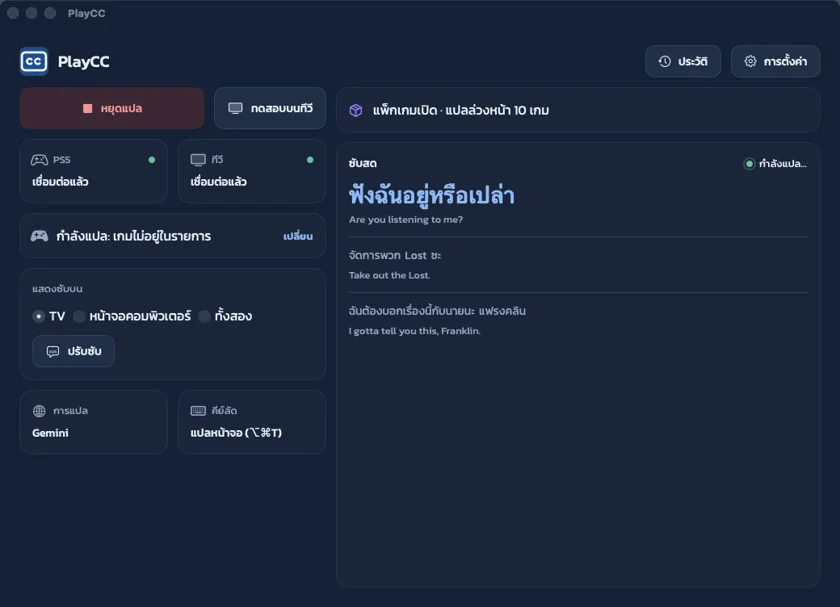
PlayCC on Mac
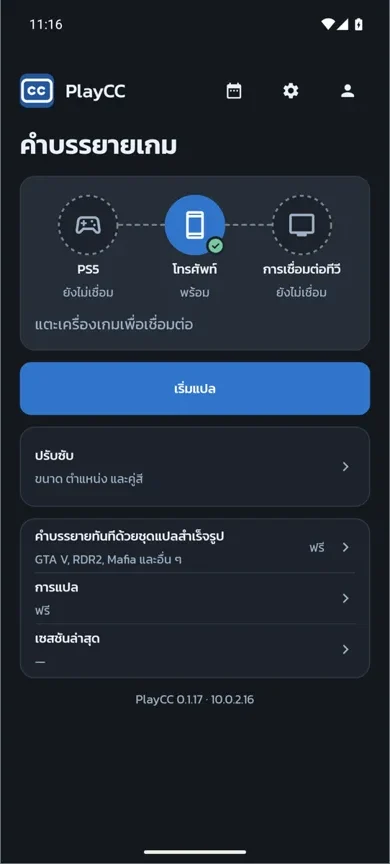
PlayCC on Android
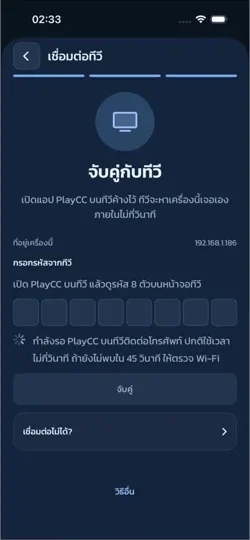
PlayCC on iPhone / iPad

Subtitle translator

Mac

macOS 13 or later · Apple Silicon and Intel

Translate console subtitles from your Mac. Unzip and move PlayCC to Applications. Free translation needs macOS 26 or later.

Download ZIP

PlayCC-mac.zip

Subtitle translator

Windows

Windows 10 or 11 · 64-bit

Translate console subtitles from your PC. Extract the folder, then run PlayCC.exe inside it.

Download ZIP

PlayCC-win-x64.zip

Subtitle translator

Android

Android 8 or later · phone

Translate console subtitles from your phone. Install it from the Google Play test: 3 steps on the download page.

How to install from Google Play

Subtitle translator

iPhone / iPad

iOS or iPadOS 16 or later · from the App Store

Translate console subtitles on your iPhone or iPad. The App Store installs it and keeps it up to date. Free translation needs iOS 26 or later.

Open on the App Store

Computer and phone

macOS

macOS 13 or later · Apple Silicon and Intel

Translate console subtitles from your Mac. Unzip and move PlayCC to Applications. Free translation needs macOS 26 or later; macOS 13–15 can use game packs and AI translation with your own API key.

PlayCC-mac.zip Download ZIP

Windows

Windows 10 or 11 · 64-bit

Translate console subtitles from your PC. Extract the entire folder, then run PlayCC.exe in the PlayCC folder. Updating an older version: close PlayCC first, then extract over the old folder.

PlayCC-win-x64.zip Download ZIP

Android

Android 8 or later · phone · install from Google Play

Translate console subtitles from your phone. The phone app is in a Google Play test: do these 3 steps with the Google account you use on the phone.

  1. Join the PlayCC testers group
  2. Open the PlayCC test page and accept to become a tester
  3. Open PlayCC on Google Play and install it

Installed PlayCC from the website's APK before? If Google Play cannot install it, uninstall the old PlayCC first, then install it from Google Play.

iPhone / iPad

iOS or iPadOS 16 or later · from the App Store

Translate console subtitles on your iPhone or iPad. Install it from the App Store; the App Store keeps it up to date. Free translation needs iOS or iPadOS 26 or later; versions 16–18 can use game packs and AI translation with your own API key.

Open PlayCC on the App Store

Installed the IPA from this site with iloader before? Delete that copy first, then install from the App Store.

TV apps

Android TV / Google TV

Android TV 7.0 or later, or Google TV · Install from Google Play

Show Thai subtitles on the TV. The TV app is in a Google Play test for now. Do these three steps on a phone or computer, signed in to the same Google account as the TV.

Installed the PlayCC TV app from this website before? Uninstall it from the TV first, then do the three steps.

  1. Join the PlayCC testers group.
  2. Open the PlayCC test page and accept the invitation to become a tester.
  3. Open PlayCC on Google Play, choose Install and pick your TV.

LG TV

webOS 4 or later

Show Thai subtitles on the TV. PlayCC usually installs this for you from TV setup on your computer.

playcc-lg.ipk Download IPK

Samsung TV

Tizen · 2017 or later, with experimental support for 2017–2018

Show Thai subtitles on the TV. Let PlayCC on your computer install it and sign in to a Samsung account when prompted.

playcc-samsung.wgt Download WGT

Coming soon

Linux